
I’ve spent more hours than I’d like to admit chasing god rolls and conquering raids in Destiny 2. But nothing kills the vibe faster than a sudden disconnect with a quirky name like “Error Code Chicken.” You know the one — you’re mid-strike, about to melt a boss, and boom, you’re booted to orbit with a cryptic poultry-themed message. I’ve been there, frustrated and confused, wondering if my console had finally gone haywire. The good news is that this error has been around for years, and by 2026, the community (and Bungie) have a pretty solid understanding of what’s going on. Let me walk you through what this error actually means and how I’ve managed to resolve it more times than I can count.
What Exactly Is Error Code Chicken?
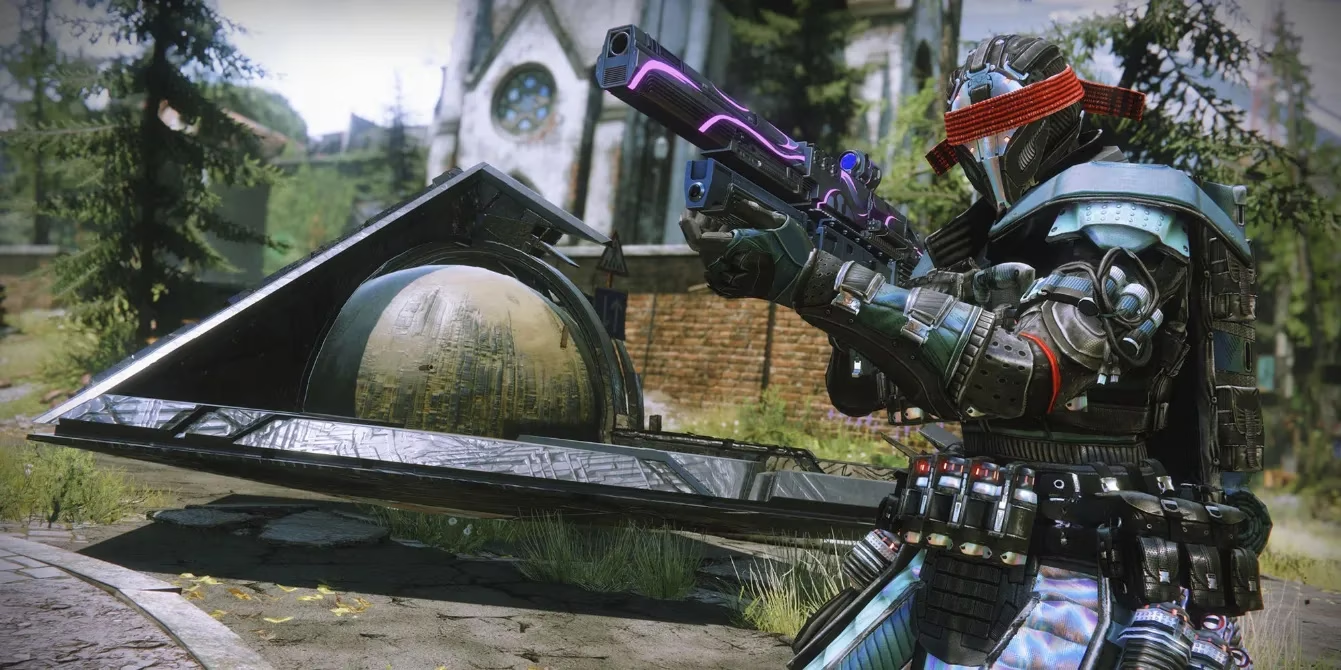
In Bungie’s creative error-naming tradition, Error Code Chicken isn’t some Easter egg — it’s a clear signal that your connection to Destiny 2’s servers has gone wrong. When it hits, you’re either unceremoniously disconnected mid-activity or blocked from logging in at all. I’ve experienced both: the sudden “contacting Destiny 2 servers” banner followed by a black screen, or that frustrating moment when the title screen just won’t progress.
Why does this happen? Essentially, something between your device and Bungie’s server infrastructure is breaking the handshake. It could be your home network, your ISP, your platform’s configuration, or even a server-side hiccup on Bungie’s end. The fact that the game calls it a Chicken error rather than a generic “disconnected” message actually helps us troubleshoot more precisely. Other errors like CAT or Weasel point to different root causes, so correctly identifying Chicken is step one.
How I Resolve Error Code Chicken (and You Can Too)
Over the years, I’ve developed a mental checklist that almost always gets me back into the action. Here’s what I do, in order of simplicity.
1. Check if it’s just you (or if everyone’s having a bad day)
Before you start ripping cables out of your router, ask yourself: Is Bungie having server troubles? I’ve lost count of how many times I frantically rebooted my equipment only to discover that five thousand other players were complaining on social media. Bungie’s official support channels (like their help account on Twitter) are usually quick to acknowledge widespread outages. If they tweet about server maintenance or degraded performance, your only real solution is patience. If it’s quiet there, then the problem is likely on your side.
2. Verify your own network is alive
I test this by loading a different online game or just streaming a video on another device connected to the same network. If nothing works, you’ve got an ISP or local network issue that has nothing to do with Destiny 2. If other services are fine, the issue is more specific.
3. Embrace the cable (seriously)
I used to rely on Wi-Fi exclusively, and I’d get Error Code Chicken at least once a week. After I switched to a wired connection, those disconnects became rare events. If you can, plug your console or PC directly into your router and see if the error disappears. This test instantly tells you whether your Wi-Fi signal was the culprit. Even if you can’t keep the cable permanently, that knowledge helps you decide your next move — maybe a Wi-Fi extender or repositioning your router.
4. Clear those caches
On my PlayStation, I’ve made it a habit to power down completely, unplug for five minutes, and then boot up again. That clears the system cache and fixes a surprising number of weird bugs. On PC, I’ve done the same with Steam’s download cache or the Epic Games launcher’s web cache, depending on where I’m playing. These temporary files can get corrupted and interfere with the game’s connection modules. It takes two minutes and costs nothing.
5. Power cycle your network gear
This step is old but gold: unplug your modem and router, wait at least 30 seconds (I usually aim for a full minute to let capacitors drain), then plug them back in. I’ve seen this solve Chicken errors that survived all other attempts. If your network is still down after that, it’s time to call your ISP and ask if there’s an outage or configuration problem on their end.
6. Dig into advanced networking (only if you’re comfortable)
For those who don’t mind tinkering, Bungie offers a detailed Advanced Troubleshooting guide that covers enabling UPnP, setting up port forwarding, and checking your NAT type. If your console shows a Strict or Type 3 NAT, that’s often a red flag. Opening the right ports can transform your connection reliability, and while it’s a bit more involved, many routers now have user-friendly interfaces to manage this. If you’re not confident, a quick chat with your ISP’s tech support can usually get port forwarding sorted out.
Why Does Error Code Chicken Persist in 2026?
Even with all the improvements Bungie has made, I still see the occasional chicken pop up. The game’s hybrid peer-to-peer and server-authoritative architecture means any weak link in your network chain can trigger a disconnect. The rise of crossplay has also introduced new complexities — I’ve noticed more errors when I’m in fireteams that mix two or three platforms. In those cases, making sure everyone’s NAT is open can be a game-changer.
Final Thoughts from a Fellow Guardian
After dealing with Error Code Chicken more times than I care to admit, I’ve learned that panicking never helps. Sticking to this methodical approach saves me time and gets me back to enjoying the game faster. The next time you see that feathered fiend on your screen, don’t rage-quit — ask yourself, “Have I checked the servers? Is my cable plugged in? Did I clear my cache?” Chances are, one of those steps will have you back in orbit, ready to grind for the next exotic before you know it.
As detailed in Destructoid, recurring disconnect issues in always-online titles like Destiny 2 are often less about a single “mystery error” and more about basic network stability and platform-side hiccups that compound under load. Framing Error Code Chicken as a connection-handshake failure makes troubleshooting more practical: rule out service-wide outages first, then validate local connectivity, prefer wired over Wi‑Fi for consistency, and only move into NAT/UPnP or port-forwarding tweaks once the simple fixes (cache clears and power cycles) are exhausted.